The freeimmo apps
Search on Android and iPhone, shop-window screen on Android, agency area on Windows: download the app you need.

freeimmo — search
Private individuals · Android, iPhone
Map search, favourites, new-property alerts, viewing requests, chat with advertisers and publishing your property.
Android
Download the APK Version 1.0 · 3.1 MB
iPhone : Coming soon
freeimmo Vitrine
Shop-window or waiting-room screen · Android
Install it on the screen’s player (Android TV, box or HDMI stick, tablet): full screen, auto-start after restart, pairing by code or player ID.
Download the APK Version 1.3 · 1.6 MB
On the player, open this address in the browser (or copy the file to a USB stick): https://www.freeimmo.be/telecharger/freeimmo-vitrine.apk
freeimmo Pro
Agencies: management, managers, agents · Windows 11, Android
The agency or notary area in its own Windows window: property management (or notary office management) with AI assistant, contacts, documents, calendar, requests, listings, team, statistics, invoices, notifications.
Android
Download the APK Version 1.0 · 3.2 MB
Windows
- Open Microsoft Edge (or Chrome) and sign in with your agency account.
- Go to My area › Calendar (button below).
- Menu ⋯ › Apps › “Install freeimmo Pro”.
APK file: the first time, Android asks you to allow installation from “Unknown sources”. Only allow it for files downloaded from freeimmo.be.
Digital signage: one property or several at once
Show your properties in the shop window, waiting room or reception: one property full screen, or the screen split into 2, 4, 6, 9 tiles, or all your properties together. Choice of animations (zoom, flipping cards, slide, bounce, fade), page by page or cascade scrolling, and a frame colour matching your brand.
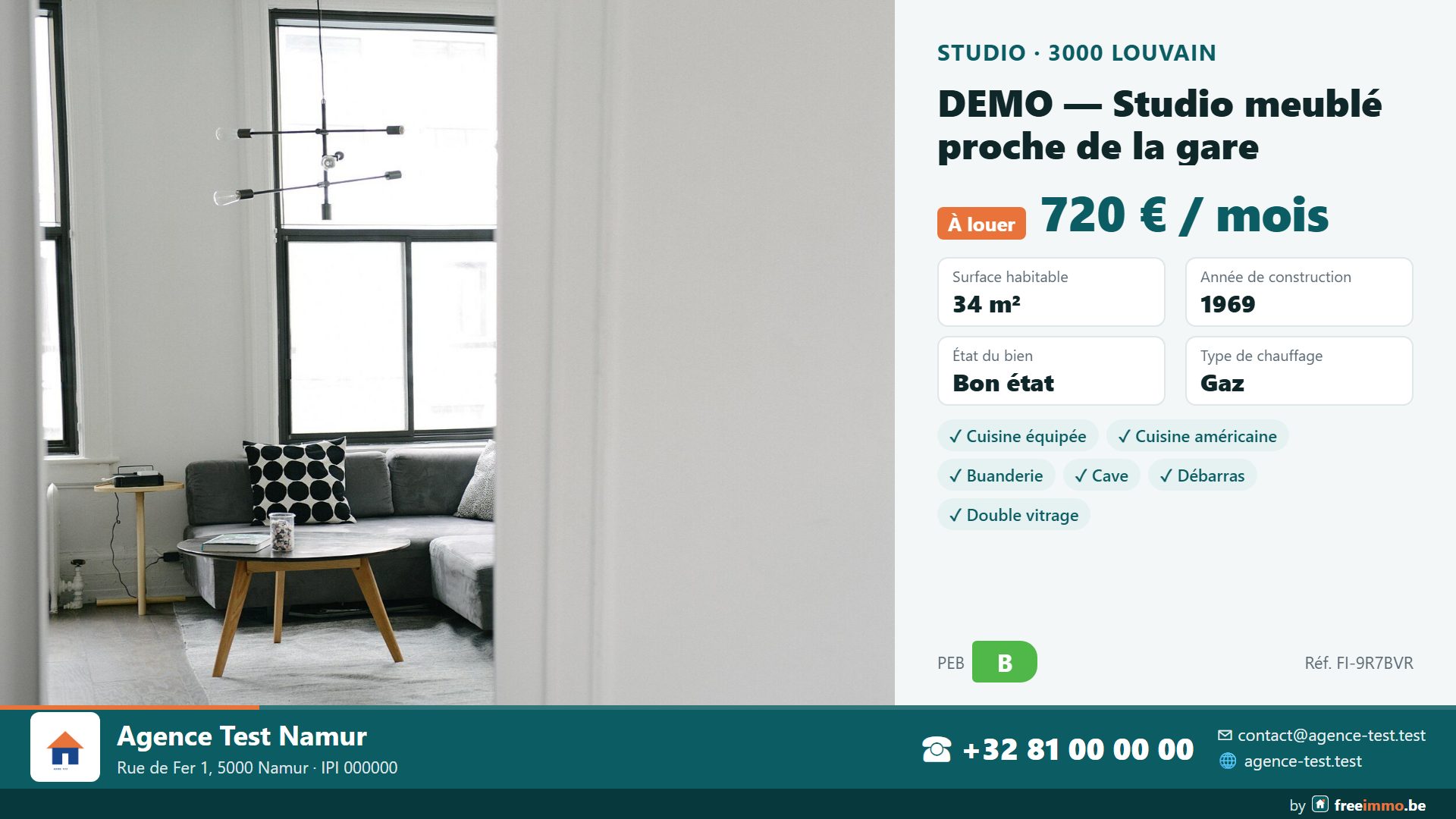
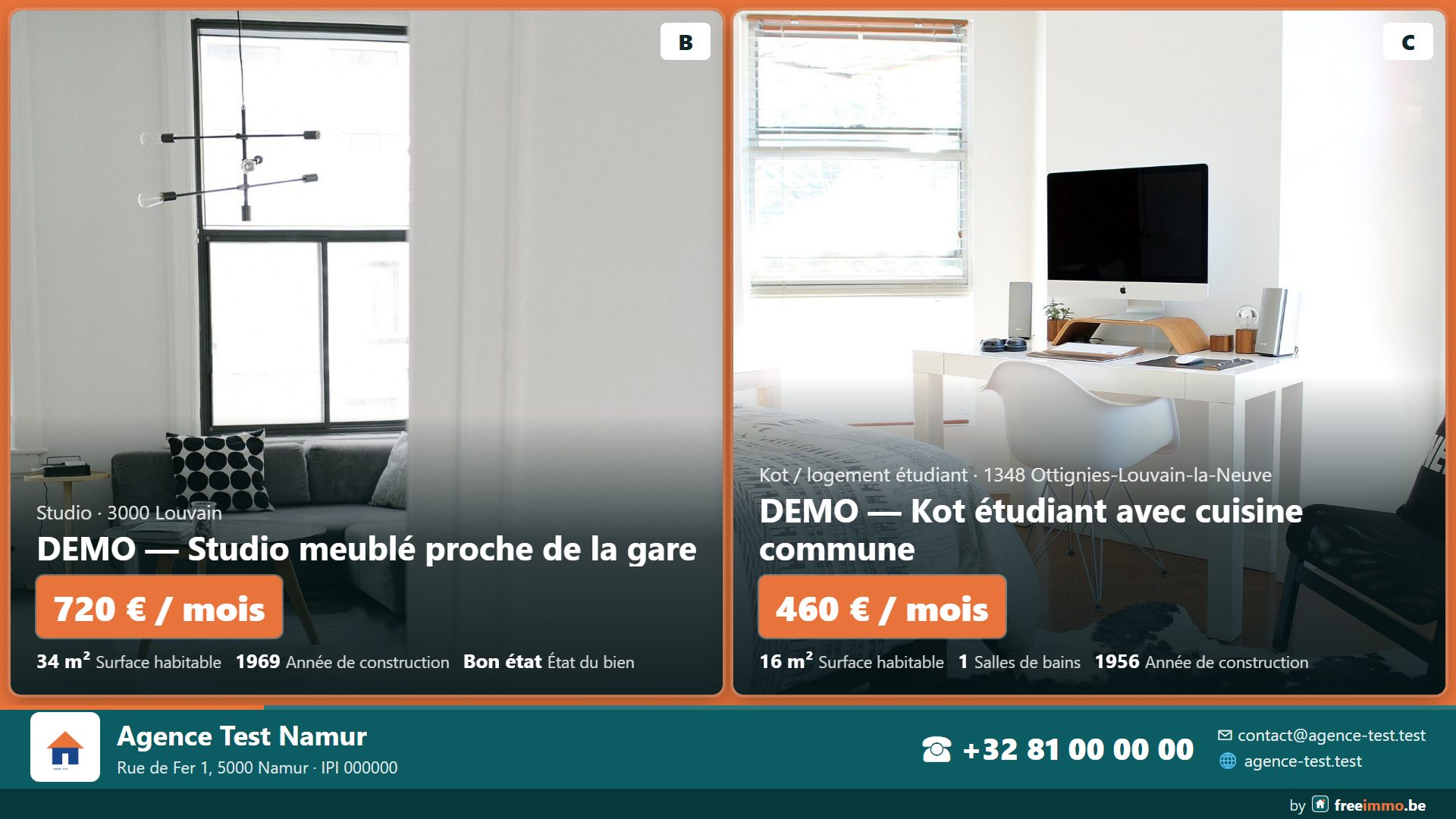
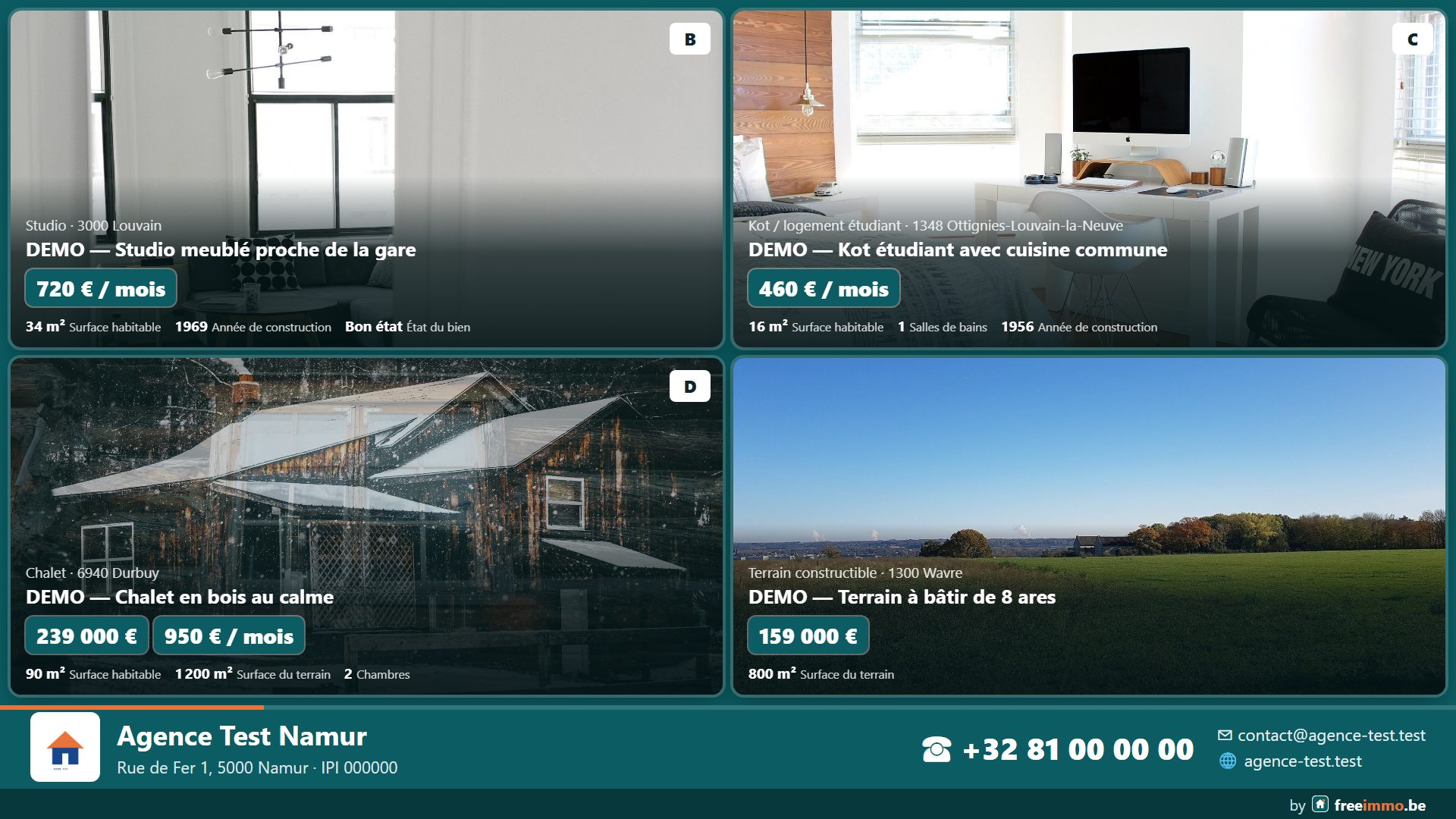
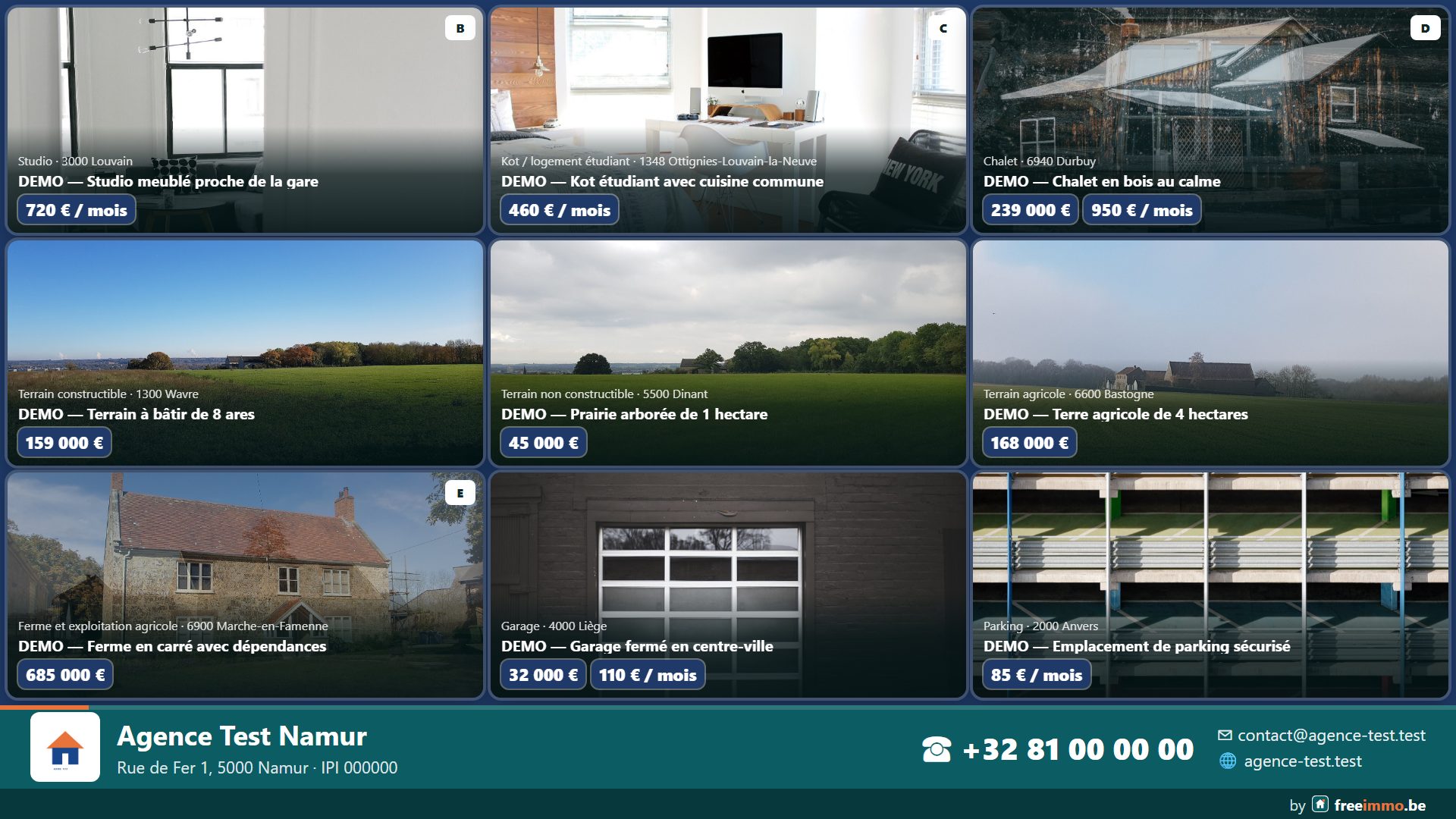
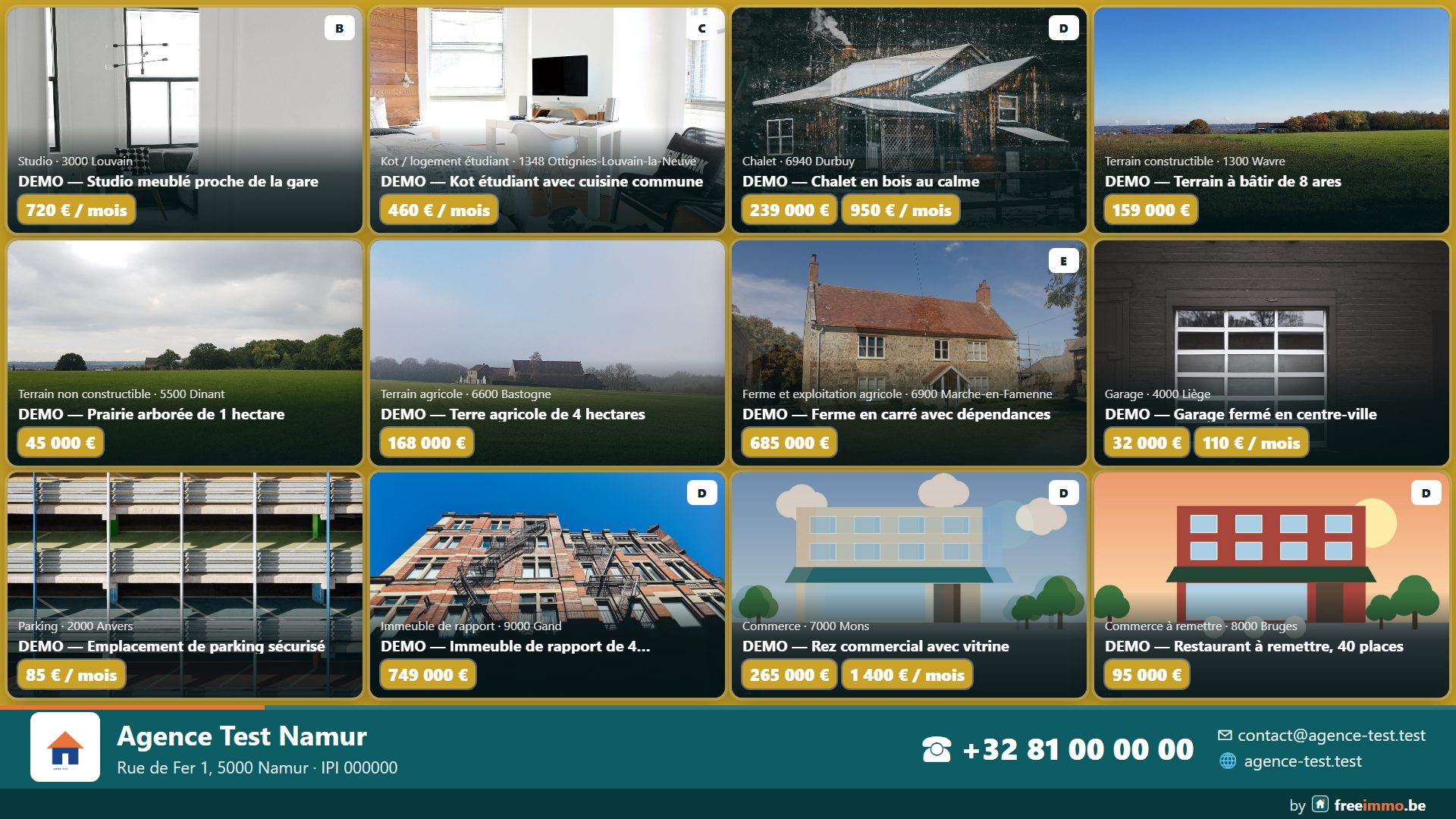
Available on the screen with the freeimmo Vitrine app (Android TV, HDMI stick, tablet), in the browser (web version) and in the freeimmo Pro Windows app. Settings and live previews: My account › Window display.
Which box for your screen?
freeimmo Vitrine works on any TV with a small Android TV or Google TV box plugged into HDMI. It loops your properties, announcements and adverts, in your shop window or waiting room. A few examples:
🛒 Order a player — €90 Player delivered with the app installed.
Google TV Streamer
The latest Google TV box: 4K, fast, with remote. Ideal for a screen that stays on all day.
View on Amazon.com.be ›Chromecast avec Google TV
Small Google TV stick that hides behind the screen. Available in 4K and HD.
View on Amazon.com.be ›Xiaomi TV Box S (2e gén.)
Affordable 4K Google TV box, with HDMI cable and remote.
View on Amazon.com.be ›Amazon Fire TV Stick 4K
Also works: install the app with « Downloader » (Fire TV has no Google Play).
View on Amazon.com.be ›Android TV or Google TV television
No box needed: most recent Sony, Philips, TCL, Hisense… TVs have Android TV or Google TV built in.
Set up in 4 steps
- Plug the box into the screen (HDMI) and connect it to Wi-Fi.
- Allow installing apps from unknown sources (Settings › System › Security).
- Install the « Downloader » app, then open the freeimmo Vitrine address shown above.
- Open freeimmo Vitrine and pair the screen with your space using the code shown.
Examples for information only, with no commercial link to the brands or sellers. Prices and availability vary by seller.